



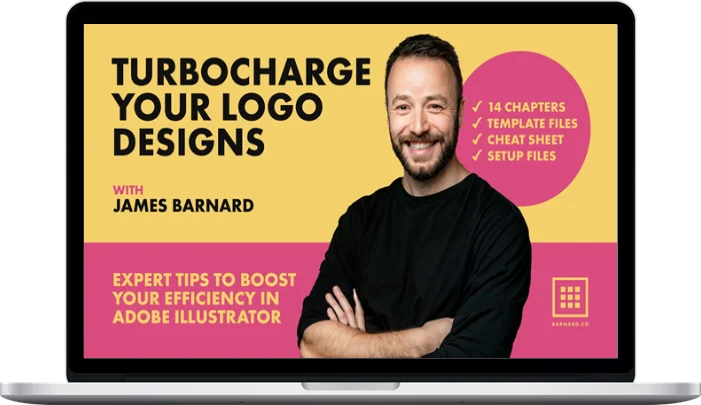
James Barnard – Turbocharge Your Logo Designs
Original price was: $99.00.$40.00Current price is: $40.00.
Delivery: Within 7 days
James Barnard – Turbocharge Your Logo Designs
My secrets to working in Illustrator at super speed. 1hr 15mins of juicy content, covering everything from setting up your workspace, to working with hardware.
My brand style guide template, my Illustrator setup template, setup files, pdf cheat sheet and more
In this course I’ll show you my secrets to working as fast as possible in Adobe Illustrator, to help you test and ultimately refine your designs in a vector format. You’ll discover how to set up your hardware, customise your workspaces and keyboard shortcuts, plus additional software and hardware tricks that’ll have you flying around Adobe Illustrator and working iteratively inside the program.
I will cover some of the fundamental tools you’ll need to work up logos, but I’d class this course as beginner-to-intermediate. The workflow and techniques in this course are designed to help you question your current workflow and to help you optimise your output and increase your efficiency.
With these tips, you’ll be able to take simple line drawings and work them up in vector in no time, to either rule out that concept, or refine it to perfection. And with these skills you’ll hopefully be able to get more clients through the door.
What You’ll Learn In Turbocharge Your Logo Designs
1. Introduction
2. Class Orientation
3. My Logo Design Process
4. My Sketchbook
5. Desk Tour
6. Artboards & Workspaces
7. Illustrator Fundamentals
8. Shortcuts & Actions
9. Defaults, Preferences & Templates
10. Bonus Tips
11. Live Edit
12. A Note on CC Libraries
13. Class Project
14. Conclusion
More courses from the same author: James Barnard
Be the first to review “James Barnard – Turbocharge Your Logo Designs”
You must be logged in to post a review.
Related products

Design & Creative
Design & Creative
Film Editing Pro – Premiere Pro Quickstart + Power User Pack

Design & Creative
Design & Creative
Design & Creative

Design & Creative

Design & Creative
Reviews
There are no reviews yet.