



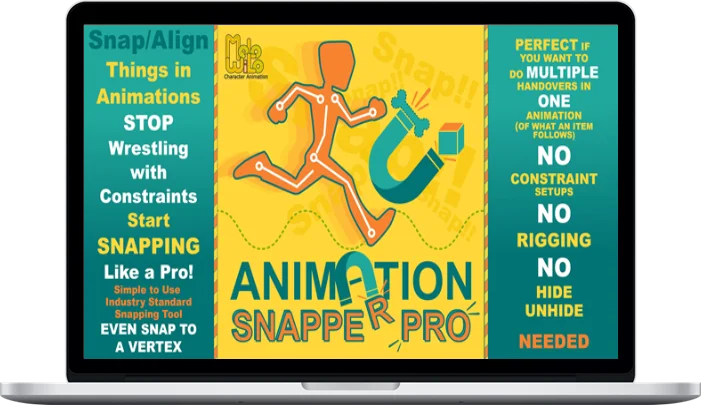
Melowilo Animation – Animation Snapper Pro – Blender Addon
Original price was: $24.99.$18.00Current price is: $18.00.
Delivery: Within 7 days
Melowilo Animation – Animation Snapper Pro – Blender Addon
Stop Wrestling with Constraints, Start SNAPPING Like a Pro!
So, you might be asking, “Why Animation Snapper Pro? Blender already has constraints and parenting, right?” And you’re absolutely right! Those built-in tools are perfectly fine if you just need something to always follow one specific thing.
But what happens when you need an object to switch what it’s following? Maybe even multiple times? That’s where things get… tricky. You’re suddenly juggling multiple constraints, meticulously managing their influence timing, and wrestling with alignments. Or, you might resort to the old trick of duplicating your object, parenting each copy to a different target, then painstakingly aligning them and keying their visibility on and off over single frames.
Honestly, both routes tend to become a headache. They demand a ton of upfront planning, are incredibly rigid, and making changes later? Good luck with that. And if you’re trying to nail a specific final pose – say, getting a foot to land perfectly in a walk cycle – trying to ‘solve backwards’ with constraints can feel like an exercise in frustration.
For me, the biggest downside was always this: you craft this intricate web of constraints and switches, and it works… today. But come back in a week, a month, or a year? It’s like trying to untangle a bowl of cold spaghetti just to remember what on earth you did.
And if you’re in a team? Forget about it. Passing that kind of setup to another animator (or even trying to remember it yourself!) is a recipe for lost time and frustration. In fact, at a game studio where I was a lead animator, we actually banned custom constraint setups on production rigs precisely because of these tangled messes they created.
Studio-wide, across all our animation teams, we relied on a snapper tool with very similar functionality to what you’ll find here. It just worked. So, when I branched out on my own, even working in Maya, one of the first things I built was my own version of that snapper. It’s not just us; even the UE5 animation pipeline has its own robust snapping system.
When I made the switch to Blender, I naturally went looking for a similar tool. To my surprise, everything I found was still rooted in constraints. And as we’ve discussed, that often brings back all the old problems. That’s why I decided to build Animation Snapper Pro for Blender. It was a bit of a journey, as Blender really encourages a constraint-based workflow, but I knew there had to be a better way for these dynamic situations. This addon is about bringing that ‘pro studio’ snapping workflow to your Blender toolkit.
What You’ll Learn In Animation Snapper Pro – Blender Addon
- Snap to a Vertex, Edge or Face: Super flexible and powerful since any point, on just about any mesh, can become an anker point for snapping.
- No Messy Setups: No extra constraints or complex parent hierarchies are created on the actual items being animated.
- Effortless Management & Flexibility: It’s clean, straightforward, and gives you incredible freedom. Want an object to stop following something? Just delete the keyframes for that section. No untangling necessary!
- Game Engine Ready: Custom constraints often don’t play nice when exporting to game engines. Since Animation Snapper Pro is purely keyframe-based, your animations translate smoothly.
More courses from the same author: Melowilo Animation
Be the first to review “Melowilo Animation – Animation Snapper Pro – Blender Addon”
You must be logged in to post a review.
Related products
Design & Creative

Design & Creative

Design & Creative

Design & Creative

Design & Creative

Design & Creative

Design & Creative

Design & Creative
Reviews
There are no reviews yet.