



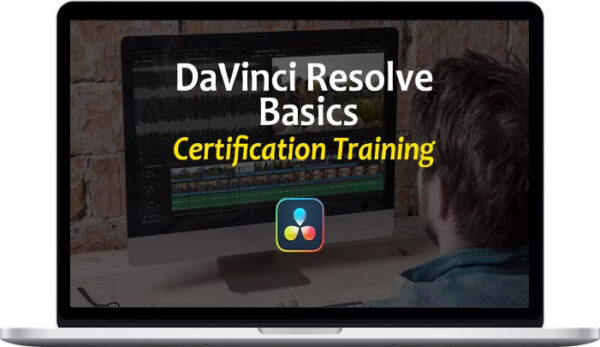
VFXStudy – DaVinci Resolve Basics Training
Original price was: $49.00.$20.00Current price is: $20.00.
Delivery: Within 24 hours
VFXStudy – DaVinci Resolve Basics Training
Get started with editing in DaVinci Resolve and explore the full post-production pipeline. From rough cut to polished edit with titles, sound effects, color grade, and more.
- Editing in the Cut Page and Edit Page
Import and organize your media, review and edit. Learn to leverage the Cut page for fast assembly and quick turnaround projects. Perform a methodical edit on the Edit page and start with sound editing directly from the Edit. - Color, Sound, VFX
Explore the specialized workspaces: Learn to do primary and secondary color grades and create creative looks. Perform advanced audio editing & mixing and get started with VFX in Fusion. - Technical Background
Learn the technical foundations. Proper project setup, media- and database management.
What You’ll Learn In DaVinci Resolve Basics Training?
- Quick Start
Get up to speed quickly by editing a 1 minute video from scratch in the Edit page. Assemble your rough cut, refine the edit, add a title and deliver. Get started in Resolve with this overview in one lesson.
- Cut Page
Use the Cut page to efficiently review large amounts of footage, for a quick assembly of a larger project, or to complete a whole job in a quick turnaround szenario.
Optionally, you can watch all lessons about the Cut page with separate recordings that demonstrate the DaVinci Resolve Speed Editor.
- Edit Page
Get a thorough introduction to the DaVinci Resolve Edit page. Manage your media, set up bins and smart bins, and Perform a detailed edit with all main editing features of DaVinci Resolve. Also, get started with audio editing right from the Edit page. Use clip colors, flags, and markers to stay organized and prepare for grading sessions or detailed audio work in Fairlight.
- Color
Get a good grasp of the world-class color grading features in DaVinci Resolve. Start with a primary grade to normalize/balance your shot and do the first overall adjustments and overall matching between shots. Learn about secondary grades for very detailed and selective color manipulations. Finally, you learn how to create creative looks and how to reuse and share them correctly through stills and LUTs.
- Sound
Many audio tasks and effects can be applied directly from the edit page. However, the Fairlight page offers some excellent dedicated features that make working on audio more productive. Learn to use the interface effectively with many tracks, use spot lists, record voice over and more.
- VFX
Get an Introduction to Fusion by working on a head-up display for a retro sci-fi shot. Learn how Fusion’s node-based interface works and how it differs from the color page. Create a convincing composite with some added effects and an animated text graphic.
- Delivery and Project Management
Learn about the different delivery options in DaVinci Resolve and get to know DaVinci Resolve’s Database concept. This helps you to correctly share project assets, create back-ups and archives or migrate your installation to a different system.
More courses from the same author: VFXStudy
Be the first to review “VFXStudy – DaVinci Resolve Basics Training”
You must be logged in to post a review.
Related products
Design & Creative
Design & Creative
Emil Pakarklis – iPhone Editing Academy – iPhone Photo Masters

Design & Creative
Design & Creative

Design & Creative
Design & Creative
Design & Creative
Reviews
There are no reviews yet.